There's a moment in almost every service business where the customer is at their happiest, and it lasts about fifteen seconds.
The technician hands back the car keys and explains what was fixed. The server drops the bill and says thanks. The stylist spins the chair around for the final look. The delivery rider hands over the parcel.
That's the peak. And in most businesses, nothing happens because the review prompt is fifteen feet away on a counter the customer may not even walk past.
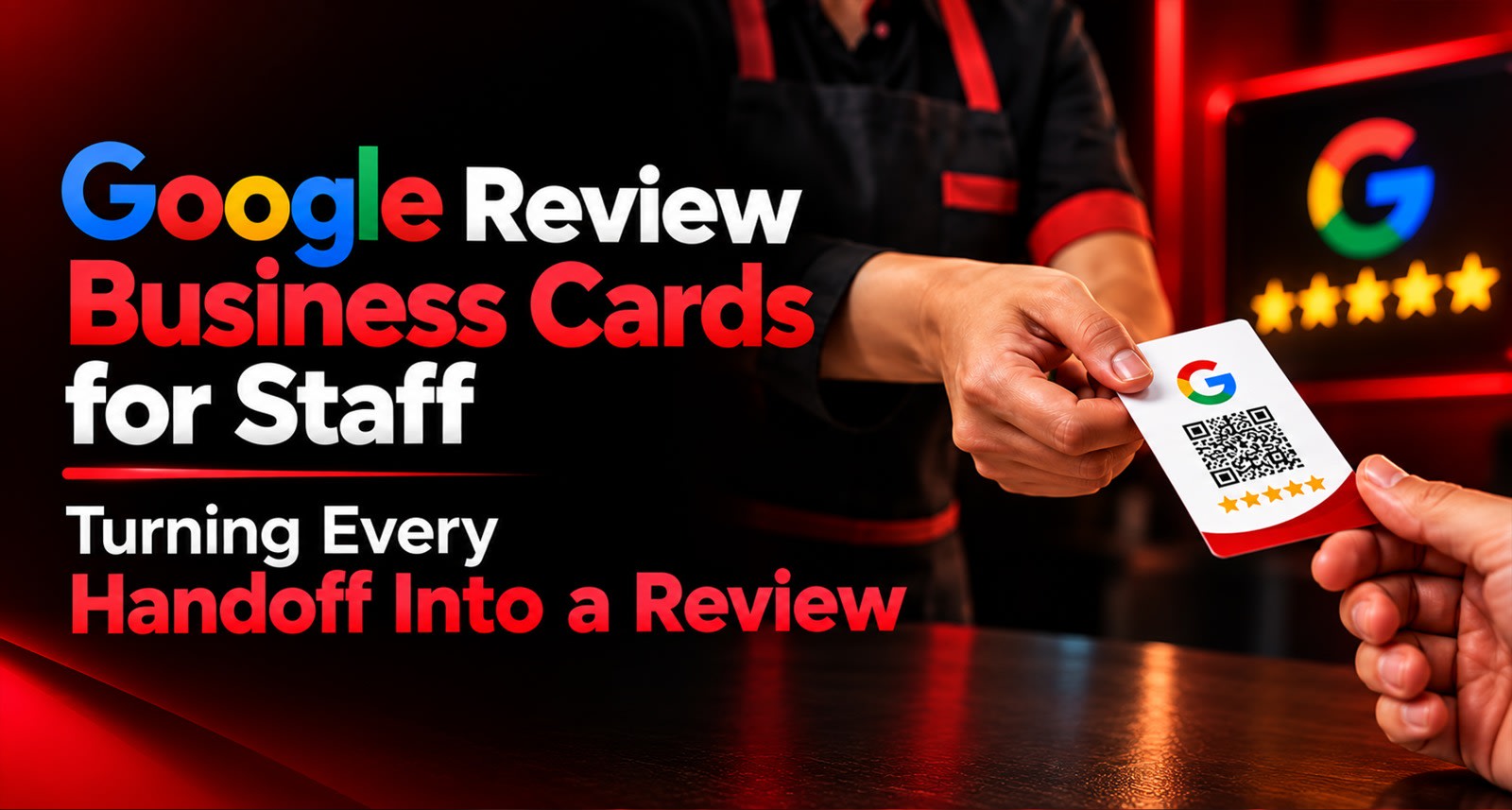
Google review business cards exist to close that gap. The card travels with the person doing the handoff, so the ask happens inside the moment instead of after it.
Why a Counter Stand Alone Leaves Reviews on the Table
A stand at the billing counter is excellent, and for a lot of businesses it's the single highest-capture placement you have. The problem is that it only works for customers who stop at the counter, at the counter's pace.
That excludes a surprising amount of your business:
Who misses the counter | Why |
Table-paid restaurant guests | Settle at the table, walk straight out |
Delivery and field customers | Never enter your premises at all |
Customers in a rush | Pay, grab bag, gone |
Salon and clinic clients | Peak moment happens at the chair, not the desk |
Anyone served by a mobile team | Realtors, trainers, technicians, installers |
For those customers, the review prompt has to come to them. That's what a staff-held card does it moves the ask from a fixed location to a moving person.
If your counter is already working well, this isn't a replacement. The two complement each other, which is the argument made in Google Review Stand & NFC Card Combo
What a Google Review Business Card Actually Is
Physically, it looks like an ordinary business card. Durable PVC or metal, your branding, your logo.
Functionally, it carries two things: an NFC chip and a printed QR code. The customer taps their phone against it or scans the code and a guided review flow opens no app, no signup, no typing into a blank Google box.
The practical difference from a counter stand is simply who holds it:
Counter stand | Staff business card | |
Lives | Fixed location | In a pocket or lanyard |
Reaches | Customers who stop there | Anyone the staff member serves |
Timing | Whenever they pass | The exact handoff moment |
Works off-premise | No | Yes |
Needs staff action | No | Yes |
That last row is the honest trade-off. A stand works whether or not anyone remembers it. A card only works if the staff member actually uses it. Which means the card is half hardware and half habit and the habit is the part most rollouts get wrong.
Which Roles Should Carry One
Not everyone needs a card. Give them to people who have a natural handoff moment.
🍽️ Restaurant servers — handed with the bill folder. Highest-value placement in food service, because the bill is already a moment of pause.
💇 Stylists and therapists — the chair-spin moment, or at the point of rebooking. Deeply personal service, so the ask lands warmly.
🔧 Technicians and service advisors — vehicle or appliance handover, right after explaining the work done. The customer has just received an explanation and feels looked after.
🏠 Realtors and field sales — after a site visit or a successful closing. These customers may never visit an office.
🚚 Delivery riders — at the doorstep handover. Often the only physical contact a delivery-first business ever has with a customer.
🏋️ Trainers and instructors — end of a session or a milestone. Great timing, since the customer has just felt progress.
🏥 Clinic staff — at discharge or billing, after the consultation rather than during it.
The common pattern: someone physically hands the customer something, or completes something in front of them. If a role has no such moment, a card won't help them a stand will serve them better.
The Script Matters More Than the Card
This is where most rollouts fail, and it has nothing to do with hardware.
A staff member handed a card with no guidance will either say nothing, or say something apologetic and awkward that makes the customer uncomfortable. Both produce zero reviews.
What doesn't work
❌ "Sir, please give us a 5-star review"
Asks for a rating, not feedback. Pushy, and it edges toward territory you want to stay well clear of.
❌ "If you have time, maybe you could possibly review us…"
Apologising for asking signals that asking is an imposition. The customer agrees with you and doesn't do it.
❌ Saying nothing and just placing the card down
The customer assumes it's a loyalty card or a menu and pockets it.
What works
✅ "If you enjoyed it, just tap your phone here — takes about twenty seconds."
Three things make this work. It's conditional ("if you enjoyed it") so there's no pressure and no implied demand for a rating. It's specific about the action ("tap your phone here") so there's no ambiguity. And it's honest about the time ("twenty seconds") which removes the main objection before it forms.
Variations by context
Setting | Line |
Restaurant, with the bill | "If you liked the food, just tap here — takes twenty seconds." |
Salon, after the finish | "Glad you're happy with it. If you want to share that, just tap here." |
Technician handover | "Everything's sorted. If the service worked for you, a quick tap here helps us a lot." |
Delivery doorstep | "Thanks! If the delivery was good, just tap your phone on this." |
Clinic discharge | "Hope that was helpful. If you'd like to share your experience, just tap here." |
Give your team the line. Write it down. Practise it once in a briefing. That five-minute exercise does more for your review numbers than the card itself.
The Rule You Cannot Bend
Staff-held cards introduce a risk that counter stands don't: a person is now doing the asking, and people improvise.
So be explicit with your team about two boundaries.
Never ask for a specific rating. "Please give us five stars" is a different request from "please share your experience," and the first one crosses a line. The customer's rating is theirs to decide.
Never offer anything in exchange. No free dessert, no discount, no loyalty points, no entry into a draw. This is a direct policy violation, it's the most common reason honest businesses get their listings penalised, and a single enthusiastic staff member can create the problem without realising it.
Both rules need saying out loud in the briefing, not buried in a document.
A third, softer rule: if a customer has had a bad experience, staff should not hand them a card as a deflection.
The rating-first flow routes low ratings to private feedback anyway, but the gesture reads badly in the moment. Fix the problem, then let the customer decide what to do.
Rolling It Out Without It Feeling Forced
A sensible four-week sequence.
Week 1 — Brief, don't mandate
Explain why, not just what. Staff who understand that reviews bring walk-ins which affect tips, bonuses and job security participate properly. Staff who are simply told to do it comply for a fortnight and then stop.
Hand out cards. Teach one line. Practice it twice.
Week 2 — Watch and adjust
Listen to how people actually say it. Some will find a better phrasing than yours; adopt it. Some will mumble; coach them gently.
Week 3 — Share the numbers
Show the team what came in. Reviews mentioning staff by name are the best possible motivator read those out. This is the week where the habit either sets or dies.
Week 4 — Make it routine
By now it should be part of the handoff, like saying thank you. Check in monthly after this, not daily.
What to avoid
❌ Individual review targets. This is the fastest route to pressured customers and policy problems. If a staff member's performance review depends on review count, someone will eventually ask for five stars.
✅ Team-level recognition is fine and works better celebrating a good month collectively, or reading out reviews that named people.
Measuring Whether It's Actually Working
Give staff cards their own code so you can see their contribution separately from the counter stand. Without that separation, you're guessing.
What to compare | What it tells you |
Staff-card code vs counter code | Which moment converts better for your business |
Before vs after rollout (monthly) | Whether the cards added volume or just moved it |
Shift A vs shift B | Where the habit stuck and where it didn't |
Week 2 vs week 6 | Whether the habit held past the novelty |
That last comparison is the one worth watching. Most staff-card programmes peak in week two and decay by week six if nobody mentions them again. A one-line check-in at the monthly team meeting prevents it.
Setting up separate codes takes a few minutes and is covered in QR Code Management: One Code Per Table, Counter or Campaign.
Practical Details People Get Wrong
How many cards? One per customer-facing staff member, plus two or three spares. Cards get lost, left in uniform pockets, and taken home.
Where do they live? Apron pocket, lanyard, bill folder, or clipped inside the service file. Somewhere the staff member doesn't have to go looking if retrieving it takes effort, it won't happen.
Do customers keep them? Mostly no, and that's fine. The card is a prompt, not a giveaway. If a customer does pocket it, no harm done it still works later.
Personalised or generic? Generic is more practical. Named cards sound nice but create replacement hassle and can nudge toward individual targets, which you want to avoid.
What about shift handovers? Cards stay with the person, not the station. Each staff member keeps their own.
Hygiene concerns? PVC and metal cards wipe clean. A laminated paper card handled fifty times a day does not age well.
Where Staff Cards Fit Alongside Everything Else
Think of your review capture as covering moments, not locations:
Moment | Best tool |
Paying at the counter | Stand |
Seated at a table | Table tent |
Staff handoff, anywhere | Business card |
On the move, field work | Keychain tag |
Off-premise, delivery | Printed insert |
Most businesses need two or three of these, not one. A restaurant typically runs a counter stand plus server cards. A clinic runs a reception stand plus discharge cards. A field service business may run cards and keychains only, with no fixed placement at all which is the scenario covered in Google Review Keychain: The Review Tool for On-the-Go Teams.
Whichever combination you use, the underlying flow is identical — tap or scan, no app, no login. That part is explained in How ReviewTAG Works Without Any App Download
Learn More below
Explore the ReviewTAG Collection with Dynamic QR Codes →
Create Your ReviewTAG Business Account — Sign Up Now →
Talk to Our Team on WhatsApp for a Free Setup Demo
FAQs
Will customers find it pushy?
Not if the ask is conditional and brief. "If you enjoyed it" removes the pressure entirely. What feels pushy is demanding a rating or repeating the request.
What if staff forget?
They will, for the first few weeks. That's normal. Keep the card physically accessible and mention it briefly in the weekly briefing until it becomes automatic.
Should every staff member get one?
Only customer-facing roles with a natural handoff. Kitchen and back-office staff have no moment to use it.
Can one card be shared by a shift?
It works, but a shared card gets left behind more often than a personal one. One per person is better.
Do staff cards replace a counter stand?
No. They cover different moments. Most businesses benefit from running both.
What if a staff member asks for five stars anyway?
Correct it immediately and explain why. It's not a small thing it's the one behaviour that can genuinely cause problems with your listing.
More answers on the FAQ page.
About the author

Chandu Venkata Satish
Founder & Director
Chandu Venkata Satish is an entrepreneur, digital strategist and technology-driven business consultant with over ten years of experience working across digital strategy, political consulting, branding and technology. As the Founder of Technical Avengers, he leads the development of practical digital solutions that help businesses strengthen their online presence and accelerate growth. Review TAG is one such product, developed to simplify customer feedback and review generation through AI, QR and NFC technology, helping businesses turn genuine customer experiences into digital trust.
LinkedIn