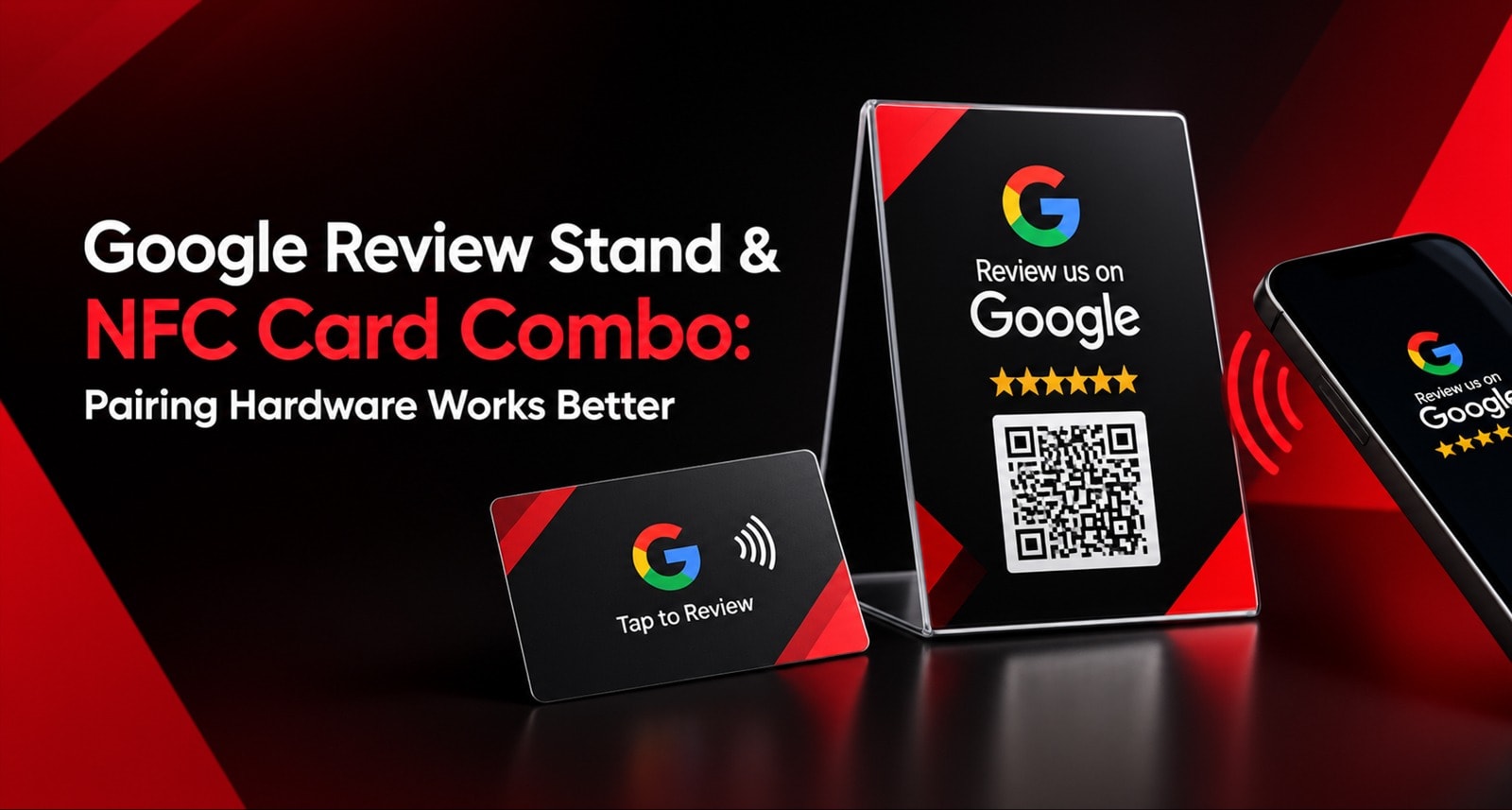
One tool at the counter can miss customers at the table. One card in your staff’s pocket can miss walk-ins who prefer to scan on their own. The Google Review Stand & NFC Card Combo covers both moments — passive and personal — so more happy customers get an easy opportunity to leave a review.
Is a Stand + NFC Card Combo Worth It?
For businesses with both walk-in customers and staff-driven interactions, combining a stand and card covers more review opportunities than relying on one format alone.
What it is: A combination of Acrylic Stands for counters or tables and NFC Smart Cards for customer-facing staff.
Why it works: The Stand supports passive, self-service review requests while the Card supports personal, hand-to-hand requests.
Technology: Both formats use NFC + Dynamic QR technology, allowing customers to tap or scan.
Best starting setup: 1 Stand + 2 Smart Cards for a small single-location business, then expand based on actual usage.
Best rule: Choose hardware according to where your customers interact with your business.
What's Common: All ReviewTAG Hardware Uses the Same Core Technology
Before comparing the combination, there is one important point to understand.
For ReviewTAG, the Stand, Smart Card, Desk Puck, and Keychain use the same core review technology. The main difference is the physical format and where you use it.
Every ReviewTAG product includes:
1. Dual Technology: NFC + Dynamic QR
Customers can either tap their phone on the NFC area or scan the printed QR code.
This gives customers two ways to start the review journey without requiring an app.
2. Dynamic QR Code
The QR code points to a cloud-based link managed through the dashboard.
If your Google review destination needs to be changed, the destination can be updated without replacing the physical hardware.
This is different from a static QR code, which is permanently tied to the URL encoded into it.
3. Smart Routing Shield
ReviewTAG's Smart Routing Shield provides a rating-based service-recovery flow.
Customers who provide higher ratings can be directed toward Google with an AI-generated review draft, while lower ratings can be directed toward private feedback and a manager notification.
This is designed as a service-recovery mechanism rather than blocking customers from Google. Customers retain the ability to leave a Google review directly.
4. AI Review Assistant
The guided experience provides tappable options and an AI-generated review draft.
The goal is to reduce the friction customers experience when they are faced with a blank review box.
5. Dashboard & Tracking
Businesses can monitor available performance information such as scans, completions, rating distribution, and performance by code or location.
This allows you to understand which physical touchpoints are generating engagement.
6. Google-Compliant Review Flow
ReviewTAG does not automatically publish reviews on behalf of customers.
The customer remains in control of editing and submitting the final review.
7. Pricing
ReviewTAG's Smart Card starts from ₹99. Current pricing for the complete range should be checked on the ReviewTAG pricing page.
So the decision isn't really about choosing between two different technologies.
It is about choosing two different physical formats for two different customer moments.
What Is a Google Review Card and How Does It Actually Work?
Think of the combination as having two roles.
Acrylic Stand = Your Silent Review Prompt
The Acrylic Stand sits visibly on a billing counter, reception desk, table, or waiting area.
Customers can see it while:
Waiting for their bill
Standing in a queue
Waiting at reception
Sitting at a restaurant table
Completing a payment
Waiting for service
The customer doesn't necessarily need a staff member to hand them anything.
They can notice the Stand and tap or scan themselves.
Smart Card = Your Personal Review Prompt
The Smart Card is portable and can be carried by customer-facing employees.
It works particularly well when there is a personal interaction.
For example:
A stylist finishes a haircut.
A workshop advisor hands back vehicle keys.
A salesperson completes a purchase.
A receptionist finishes a customer interaction.
A trainer completes a session.
The employee can hand over the Card and make a simple request.
Why Use Both?
Each format has a different strength.
Stand alone: Great for fixed locations, but dependent on visibility and customer attention.
Card alone: Great for personal interactions, but dependent on staff remembering to ask.
Stand + Card: Covers both the fixed-location and personal interaction moments.
Why the Google Review Stand & NFC Card Combo Can Work Better Than One Format
Instead of asking whether a stand or card is universally better, look at the customer journey.
Criteria | Stand Alone | NFC Smart Card Alone | Stand + Card Combo |
Fixed counter coverage | Strong | Limited | Strong |
Personal handover | Limited | Strong | Strong |
Passive self-service | Yes | No | Yes |
Staff-driven requests | Limited | Yes | Yes |
Works when staff is busy | Yes | No | Yes |
Per-code tracking | Yes | Yes | Both |
Coverage across customer moments | Limited to fixed points | Limited to staff interactions | Broader coverage |
The combination doesn't magically guarantee more reviews. Instead, it gives your business more opportunities to ask for reviews in different situations.
That distinction matters.
Passive Review Opportunities: Where the Stand Helps
Imagine a customer standing at your billing counter.
The employee is printing the bill. The customer is waiting.
Their phone is already in their hand.
A clearly positioned review stand gives them an opportunity to act without requiring a separate conversation.
This is particularly useful for:
Restaurants
Cafés
Retail stores
Salons
Clinics
Workshops
Hotels
Reception desks
The Stand becomes a permanent reminder.
It doesn't depend on a particular employee remembering to carry it.
Active Review Opportunities: Where the Smart Card Helps
Now consider a different situation.
A customer has just finished a service and is speaking directly with an employee.
For example:
"Your car is ready. We've completed the service."
That's a natural moment to ask for feedback.
The employee can hand over the Smart Card and say:
"If you're happy with the service, a quick tap or scan here would really help us."
The physical handover makes the request more personal.
This can be useful for:
Salons
Auto workshops
Personal trainers
Real estate teams
Field service businesses
Customer success teams
Retail sales staff
Why Staff Dependence Matters
One of the biggest practical differences between a Stand and Card is staff involvement.
A Smart Card requires someone to remember:
Carry the Card.
Recognize the right moment.
Ask the customer.
Hand over the Card.
A Stand removes some of that dependence.
Once positioned correctly, it remains visible throughout the day.
But the reverse is also true.
A Stand cannot personally follow a customer to another location or be handed directly to someone after a service interaction.
That's where the Card becomes useful.
The combination reduces dependence on either approach alone.
Different Customers Prefer Different Review Actions
Not every customer behaves the same way.
Some customers prefer self-service.
They may notice the Stand and scan without wanting an employee to approach them.
Others need a personal reminder.
They may ignore a counter display but respond immediately when a staff member says:
"Would you mind leaving us a quick review?"
The Stand + Card approach allows your business to accommodate both behaviors.
Google Review Stand & NFC Card Combo: Best Setup by Business Type
The ideal quantity depends on your customer flow, number of counters, tables, employees, and locations.
Business Type | Suggested Setup | Why |
Restaurant / Café / QSR | 1–2 Stands + 2–3 Cards | Stands cover tables/billing while Cards support staff-led requests. |
Retail Store | 1 Stand at billing + 1–2 Cards | Stand captures queue/billing traffic while staff can make personal requests. |
Salon / Spa | 1 Stand at reception + 1 Card per stylist | Reception handles passive scans while stylists can ask after service. |
Clinic / Dental | 1 Stand or Puck at reception + 2 Cards | Fixed reception coverage plus personal staff interactions. |
Auto Workshop | 1 Stand at cashier + 2 Cards for advisors | Stand covers billing; advisors can use Cards during vehicle handover. |
Gym | 1 Stand at reception + Cards for trainers | Reception provides passive visibility while trainers handle personal interactions. |
Hotel | 1 Stand/Puck at reception + Cards for guest-facing staff | Covers reception and personal guest interactions. |
Field + Office Business | Stand at office + Cards/Keychains for field team | Covers both fixed-location and mobile interactions. |
The Lean Starter Setup
If you're a small single-location business, you don't need to purchase a large quantity immediately.
A practical starting point is:
1 Acrylic Stand + 2 Smart Cards
Place:
The Stand at your main billing/reception point.
One Card with the primary customer-facing employee.
One Card as a backup or for another staff member.
Then use the dashboard data to determine where additional hardware is actually needed.
What to Check Before You Buy a Google Review Stand & NFC Card Combo
Not every bundle is the same.
Before purchasing, check these seven points.
1. Does Every Piece Have a Dynamic QR?
Make sure both the Stand and Cards use Dynamic QR technology.
If the QR destination changes, you should be able to update the destination without replacing every physical item.
2. Does Every Piece Have NFC + QR?
Avoid a bundle where only one component supports NFC.
Ideally, both the Stand and Card should support:
Tap + Scan.
3. Does the Same Review System Work Across Every Piece?
Your Stand and Cards should connect to the same dashboard and review flow.
You shouldn't need separate systems for each format.
4. Is There Performance Tracking?
You should be able to identify performance at the appropriate level, such as:
Stand
Card
Staff member
Location
Branch
This makes it easier to understand which touchpoints generate engagement.
5. Is There a Guided Review Experience?
Check whether the system reduces the friction of writing a review through guided options and an AI-assisted draft.
6. Is the System Google-Compliant?
Avoid services that promise guaranteed 5-star reviews or automatic posting.
Customers should retain control over what they submit.
7. Can You Add More Hardware Later?
Your business may open another branch or hire additional staff.
Ideally, you should be able to add new Stands and Cards without creating a completely separate system.
How ReviewTAG Setup Works
The setup can be handled in a few straightforward stages.
Day 1: Order & Share Your Details
Choose your Stand + Card combination.
Provide:
Google review link
Business logo
Business name
Location/branch information
Staff names if individual Cards are being assigned
Day 2: Dashboard Configuration
The Dynamic QR and NFC components are connected to your review flow.
You receive dashboard access and can test the customer journey.
Day 3: Production & Quality Check
Your branded Stands and Cards are produced.
The NFC and QR functionality should be tested before dispatch.
Day 4: Delivery
The products are delivered ready for placement and use.
Day 5: Place & Go Live
Place the Stand at your main customer interaction point.
Give Cards to customer-facing employees.
Train staff on a simple review request.
Then monitor the available performance data through the dashboard.
How to Use the Combo Without Annoying Customers
The hardware is only one part of the process.
Your staff should avoid repeatedly asking the same customer.
Instead, use the review request at a natural point.
For example:
"Thanks for visiting us today. If you were happy with the experience, a quick tap or scan here would really help us."
Then point toward the Stand or hand over the Card.
If the customer says no:
"No problem. Thank you for visiting us."
The goal is to make the review request easy, visible, and optional.
Conclusion
A Stand and Card aren't competing products.
They solve different problems.
The Google Review Stand works best when customers are stationary — at the billing counter, reception desk, queue, or table.
The NFC Smart Card works best when an employee has a personal interaction with the customer.
Together, they give your business two ways to make the review request:
Stand = passive visibility.
Card = personal interaction.
All ReviewTAG hardware uses the same core technology, including NFC + Dynamic QR, guided review experiences, and dashboard tracking.
So instead of asking:
"Should I buy a Stand or Card?"
Ask:
"Where are my customers interacting with my business?"
If they interact at both fixed locations and through employees, a Google Review Stand & NFC Card Combo can cover both situations with one system.
For a small business, start lean with 1 Stand + 2 Cards, measure the results, and expand based on your actual customer flow.
Ready to cover both review moments?
Explore the ReviewTAG Collection with Dynamic QR Codes →
Create Your ReviewTAG Business Account — Sign Up Now →
Talk to Our Team on WhatsApp for a Free Setup Demo
FAQ
1. What is included in a Google Review Stand & NFC Card Combo?
A typical combination includes one or more Acrylic Stands and NFC Smart Cards for customer-facing staff.
Both formats can use NFC + Dynamic QR technology and can be connected to the same ReviewTAG dashboard. Exact quantities can be selected according to your business requirements.
2. Why should I buy a Stand and NFC Card together?
The Stand is designed for fixed locations and passive self-service interactions. The Card is designed for personal, hand-to-hand requests.
Using both lets you cover different customer interaction points instead of depending on one format.
3. Can I use the same Google review link on the Stand and Cards?
Yes, the physical formats can be connected to the appropriate review destination through the ReviewTAG system.
For tracking purposes, individual codes can also be assigned to different staff members, counters, or locations where supported.
4. What happens if my Google review link changes?
With a Dynamic QR system, the destination can be updated through the dashboard without replacing the physical QR artwork.
This is one of the main advantages of Dynamic QR over a static QR code.
5. Can I track which Card or Stand generates reviews?
ReviewTAG's dashboard provides tracking by code and location, allowing businesses to analyze performance across their physical review touchpoints.
Where individual Cards are assigned to employees, this can also help identify which staff touchpoints are generating the most engagement.
6. Is the Stand + Card Combo suitable for field teams?
It depends on the business.
For businesses where employees regularly meet customers away from a fixed location, a Keychain may be more convenient because it is designed for portability.
For businesses with both an office/store and field staff, a combination of Stand + Card or Stand + Keychain can cover both environments.
7. What is the best starter combination for a small business?
A practical starting point is 1 Acrylic Stand + 2 Smart Cards.
Place the Stand at your main billing or reception point and give the Cards to your most customer-facing employees.
After collecting enough usage data, you can decide whether additional Stands or Cards are needed.
About the author

Chandu Venkata Satish
Founder & Director
Chandu Venkata Satish is an entrepreneur, digital strategist and technology-driven business consultant with over ten years of experience working across digital strategy, political consulting, branding and technology. As the Founder of Technical Avengers, he leads the development of practical digital solutions that help businesses strengthen their online presence and accelerate growth. Review TAG is one such product, developed to simplify customer feedback and review generation through AI, QR and NFC technology, helping businesses turn genuine customer experiences into digital trust.
LinkedIn