Everyone prints a QR code for Google reviews. Almost everyone prints the wrong kind.
If you searched "QR code generator" and printed the first result, you almost certainly printed a static QR code. It works today. It will hurt you tomorrow.
If you want to consistently get more Google reviews, protect your rating, and know what is actually working, you need a dynamic QR code. Not because it's trendy, but because a static code is permanent, blind, and brittle - and reviews are none of those things.
Let's break down the difference fairly, round by round.
First, Let's Be Honest About What's Being Compared
A lot of articles make this confusing. Let's define both clearly:
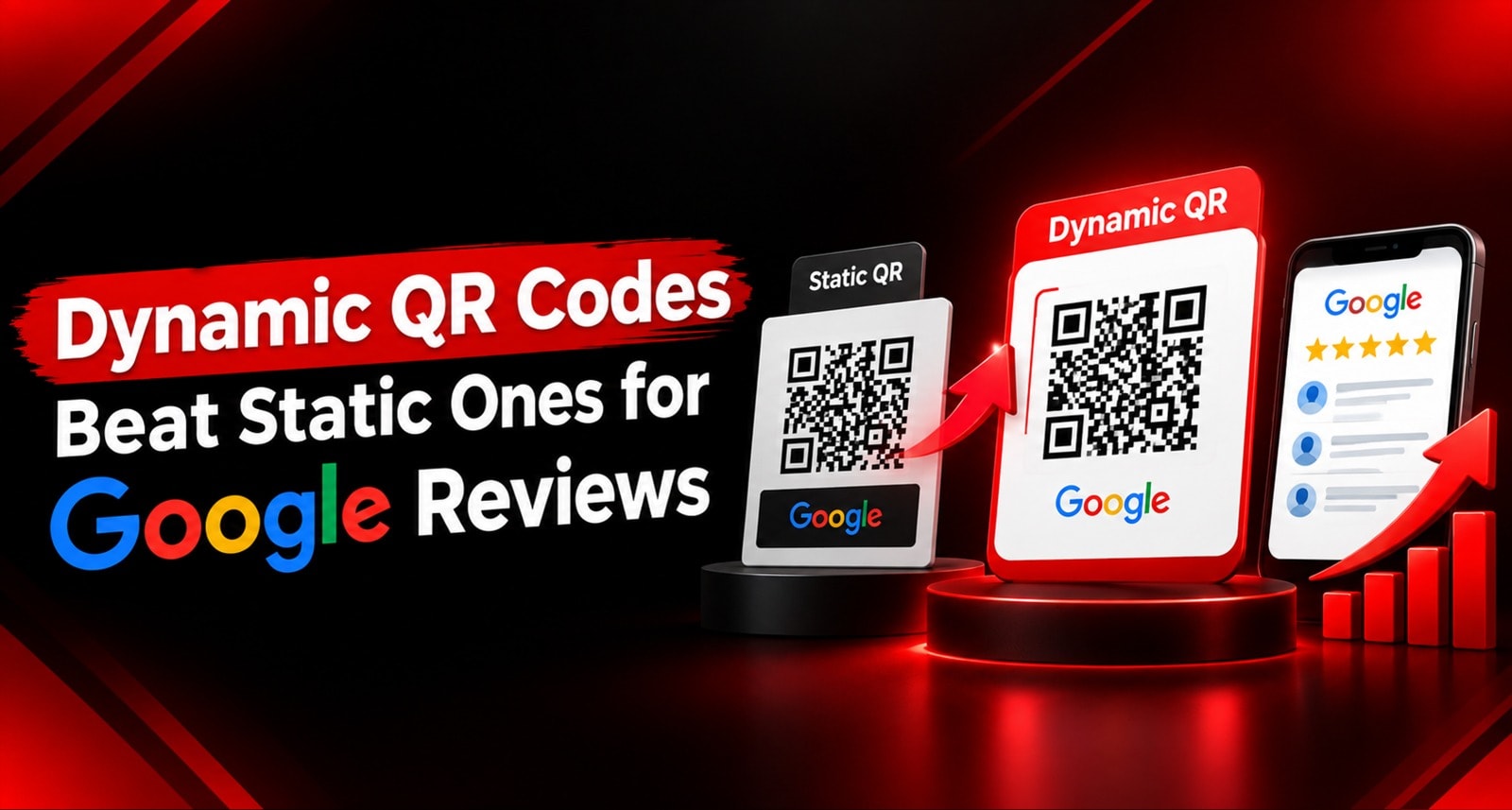
Static QR Code: A QR code where your Google review link is encoded directly into the black and white pattern itself. The URL is the QR code. Once printed, it can never be changed. No dashboard, no tracking, no control. Cost: free.
Dynamic QR Code: A QR code where the pattern encodes a short, cloud-hosted link that redirects to your Google review link. The destination behind that short link is editable from a dashboard anytime. Scans, locations, and performance are tracked. This is what ReviewTAG uses for its NFC Cards, Table Stands, and QR Stickers. Cost: hardware + subscription.
Both aim to open your google review link. They just behave completely differently after you print them.
Feature | Static QR Code | Dynamic QR Code |
What the QR stores | Your actual Google review URL | A short redirect URL you control |
Can you change destination after printing? | No. Reprint required | Yes. Update in dashboard, same printed code works |
Can you track scans? | No | Yes - scans, completions, rating splits, per-code |
Can you add smart routing / AI draft? | No - goes straight to blank Google box | Yes - rating fork, AI draft, private feedback |
What happens if link changes? | Breaks forever | Update one field, all codes fixed instantly |
That table is the entire argument. Everything below is the evidence.
Where Reviews Actually Die: The 5 Drop-Off Points
Before comparing codes, you need to understand why you fail to get reviews even from happy customers:
Drop-off Point | What Kills It |
1. Noticing | Prompt is faded, torn, or invisible |
2. Opening | Damaged QR, bad lighting, camera fumbling |
3. Landing | Wrong branch, dead link, review page not opening |
4. Writing | Blank Google text box = writer's block |
5. Posting | Fear of asking, angry customers posting publicly |
A static QR code only attempts to solve point 1, and fails at 2, 3, 4, and 5. A dynamic QR code platform is engineered to survive all five.
Round 1: Flexibility - What Happens When Your Link Changes?
This is the round that decides the long game, and it's where static codes lose permanently.
A static QR code is permanent ink. Which is fine - until one of these happens, and they all happen:
You open a second branch and need a separate Google listing
Your Google Place ID changes after a profile edit or merge
You rebrand or change your business name
You move locations
Google changes its review URL structure
You want to run a Diwali campaign with a different landing page for 2 weeks
Every single one of those events turns your entire printed stock into waste. Every table tent, every counter stand, every card - all landfill. You reprint, redesign, redistribute, and re-place.
A dynamic QR code stores a short link like reviewtag.ai/r/YourStore. That short link points to your Google review link. Change your Google link in the dashboard, and every code you've ever printed - including ones already in customers' hands - redirects correctly in seconds. No reprint.
Scenario | Static QR Code | Dynamic QR Code |
New branch opens | Reprint everything for new link | Generate new dynamic QR code in dashboard |
Google Place ID changes | Reprint everything | Update one field |
Rebrand | Reprint everything | Update design only when convenient |
Seasonal campaign | Reprint for temporary link | Remap temporarily, revert after campaign |
Winner: Dynamic QR code, decisively. Static has no recovery mechanism.
Round 2: Data - Do You Know If It's Working?
If you use a static QR code, you have one metric: your total Google review count.
That's it. You can't answer: How many people scanned yesterday? Which table collects reviews? Which branch is failing? How many scanned but didn't post? Did the morning or evening shift ask more?
Without data, improvement is guesswork.
A dynamic QR code platform gives you a full dashboard:
Total scans vs. completed reviews - your completion rate
Ratings distribution - how many 5s, 4s, 3s, private feedback
Per-code tracking - Table 4 vs. Table 8, Branch A vs. Branch B
Per-shift trends - who is asking and when
Drop-off analysis - where customers abandon
Downloadable reports
You discover things like "Table near the window outperforms every other table" or "Branch 2 gets 40% more scans but 50% fewer completions" - and then you act on it. That is how you turn a QR code from a poster into a performance channel.
Winner: Dynamic QR code. Static is completely blind.
Round 3: The Blank Box - Where Most Reviews Die
This is the biggest, most invisible gap.
A static QR code does its job perfectly: it opens Google's review page. And then Google presents an empty text field.
To your customer, that empty field is homework. They think for a moment, type "Nice service", feel embarrassed by how thin it looks, and close the tab. The QR worked. The customer arrived. They still didn't review.
A dynamic QR code from ReviewTAG never shows a blank box. It intercepts the moment with a guided flow:
Instead of a blank field, the customer sees tappable options - Service, Staff, Food, Ambience, Cleanliness, Value - configured by you. Those selections feed an AI that drafts a natural, human-sounding review in seconds. The customer just reads it, edits if they want, and taps Post.
This is the difference between a 15% completion rate with static codes and 60%+ with a dynamic, AI-assisted flow. You can read the full mechanics in our guide: How AI Writes a Genuine Google Review in a Fraction of a Second and What Is a Google Review Card and How Does It Actually Work
Winner: Dynamic QR code, by the widest margin of any round. Static codes have no writing assistance at all.
Round 4: Negative Review Protection
A static QR code has no brain. It sends everyone - delighted, indifferent, or furious - to the same public Google review box.
You are actively inviting the angriest customer to do the most public damage.
A dynamic QR code with Smart Routing creates a fork before Google:
Rating Selected | Static QR Destination | Dynamic QR Code with Smart Routing |
⭐⭐⭐⭐⭐ | → Google Blank Box | → Google with AI draft |
⭐⭐⭐⭐ | → Google Blank Box | → Google with AI draft |
⭐⭐⭐ | → Google Blank Box | → Google with AI draft |
⭐⭐ | → Google - Public | → Private form + Manager WhatsApp alert |
⭐ | → Google - Public | → Private form + Urgent alert |
The unhappy customer is heard privately, you get a chance to recover, and your public rating stays protected.
⚠️ Compliance Point, Stated Plainly: This is service recovery, not suppression. No one is blocked from posting on Google. Any customer can still search your business on Google and leave a public review anytime. What routing does is give you the first opportunity to listen and fix. Handling is documented in our Privacy Policy and Terms & Conditions.
Winner: Dynamic QR code. Static has zero defence.
Round 5: Durability and Error Correction
A static QR code is just ink on paper. In month six, it looks different:
Condition | Static Paper QR | Dynamic QR on ReviewTAG Card |
Spilled chai / water | Destroyed, smudged | PVC/acrylic wipes clean |
Daily handling | Creases, tears | Designed for 200+ taps/day |
Sunlight on counter | Ink fades, scan fails | Unaffected |
Kitchen grease | Unreadable | Wipes clean |
Chip / Code fails | Single point of failure | Dual tech - NFC + QR on same card |
A faded static code doesn't announce it's broken. It silently stops working while you assume your review campaign is still running. You discover it months later when reviews dry up.
A dynamic QR code printed on a durable ReviewTAG card, plus the fact that the destination is cloud-hosted, means you never have a "dead code" problem. Even if you need to change the link, you don't reprint.
Winner: Dynamic QR code.
Round 6: Multi-Location and Multi-Table Management
Try this with static codes: You have 3 branches, 30 tables, and you want to know which branch is underperforming.
You would need to generate 90 separate static QR codes from a free generator, print them, and try to remember which QR belongs to which table. No tracking, no central control. If one branch link changes, you hunt down those 30 prints.
With a dynamic QR code platform:
Generate 90 unique dynamic codes in 5 minutes from the dashboard
Label them - "Kondapur - Table 04", "Banjara Hills - Reception"
Track each code independently - scans, reviews, ratings
Update any code's destination without touching the print
This is why restaurants, clinics, salons, and retail chains switch. Static works for one shop, one code. Dynamic works for a business that wants to scale.
Winner: Dynamic QR code.
Round 7: Cost - The Only Round Static Wins
Let's be fair. Static is cheaper on day one.
Cost Element | Static QR Code | Dynamic QR Code |
Per-unit hardware | Pennies - just paper | From ₹99 per ReviewTAG card |
Software / Subscription | ₹0 | Annual plan for dashboard & routing |
Replacement cycle | Every 2-4 months | Years |
Reprint on link change | Full reprint - ₹₹₹ + staff time | ₹0 - update in dashboard |
Reviews lost to blank box / failure | High - invisible cost | Low - AI draft + tracking |
If your entire budget is zero today, a static QR is better than nothing. Doing nothing is the actual default for most businesses.
But run the 12-month math honestly. Paper reprinted every quarter, plus staff time, plus a full reprint when you open a new branch, plus the 10-20 reviews you didn't collect because of the blank box - the gap narrows fast. And reviews you didn't collect don't show up on any invoice, but they cost you Google ranking and customers.
Current hardware and subscription pricing is listed on the ReviewTag Pricing page.
Winner: Static QR on day one. Dynamic QR by month six.
The Scorecard
Round | Static QR Code | Dynamic QR Code |
1. Flexibility / Link Change | ❌ | ✅ |
2. Tracking & Analytics | ❌ | ✅ |
3. Beating Writer's Block | ❌ | ✅ |
4. Negative Review Shield | ❌ | ✅ |
5. Durability | ❌ | ✅ |
6. Multi-Location Control | ❌ | ✅ |
7. Brand Perception | ❌ | ✅ |
8. Day-One Cost | ✅ | ❌ |
Final: 7-1 in favour of the dynamic QR code.
Decision Matrix: Which Should You Use?
Business Type | Recommended Primary | Why |
Restaurant / Café | Dynamic QR on NFC Table Tents + Dynamic QR on bill | High volume + need per-table tracking |
Dental / Medical Clinic | Dynamic QR Acrylic Stand at reception | Low volume, high review value, needs shield |
Salon / Spa | Dynamic QR Card handed at payment | Peak-emotion moment, AI draft matters |
Retail Store | Dynamic QR Stand at billing counter | Queue-time capture + shift tracking |
Hotel | Dynamic QR Desk Puck at checkout | Structured exit, high-value review |
Delivery / Cloud Kitchen | Dynamic QR Printed Insert | No counter exists - but dynamic still allows link change + tracking |
Event / Pop-up Stall (3 days) | Static QR is fine | Temporary - durability & tracking don't matter |
The practical answer for most businesses is dynamic everywhere that matters, and if you must use paper for bills or packaging, make it a dynamic paper QR - not a static one - so you keep tracking and editability.
The Migration Path: If You Already Use Static QR
You don't have to rip anything out:
Week 1: Baseline: Note your current Google review count and rating.
Week 2: Setup: Create your ReviewTAG account, connect your Google Business Profile, generate your first dynamic QR code, configure questionnaire and Smart Routing.
Week 3: Place Strategically: Place 2-3 ReviewTAG cards with dynamic QR + NFC at your highest-traffic points. Leave static codes where they are.
Week 4-8: Run Parallel: Watch dashboard - see scan counts and completions for the dynamic code vs. static invisibility. Watch private feedback get captured.
Week 9: Expand: Replace winning locations with dynamic cards. Keep dynamic paper QRs only where paper travels further - bills, pizza boxes, packaging.
Ongoing: One Sentence Brief: Train staff to say: "If you enjoyed it, just tap or scan here - it takes 5 seconds." The dynamic code removes friction; the human creates the prompt.
Conclusion
A static QR code is a poster. A dynamic QR code is a platform.
A static code says "We hope this link never changes, no one spills anything on it, and the customer knows what to write." A dynamic code says "The link will change, things will spill, customers need help writing - and we're ready for all of it."
If you want to get more Google reviews reliably, you need a code that is editable when business changes, trackable when you need data, helpful when customers face a blank box, and protective when an unhappy customer is about to post publicly.
That's exactly what a dynamic QR code does. It's not more expensive. It's more in control.
Ready to replace your static code with a dynamic system you control from one dashboard?
Explore the ReviewTAG Collection with Dynamic QR Codes →
Create Your ReviewTAG Business Account — Sign Up Now →
Talk to Our Team on WhatsApp for a Free Setup Demo
FAQ
What is the main difference between a static QR code and a dynamic QR code for Google reviews?
A static QR code has your Google review link hardcoded into its pattern - it can never be changed after printing and can't be tracked. A dynamic QR code stores a short redirect link you control. You can change the destination anytime from a dashboard, track scans per code, and add features like AI review writing and Smart Routing without reprinting.
Is a dynamic QR code allowed by Google? Is it compliant?
Yes, 100%. A dynamic QR code simply redirects to your official Google review link - the same link in your Google Business Profile. Google sees it as a normal review. With ReviewTAG, the flow is compliant because customers still write and post their own genuine review. We never auto-post.
Can I change the Google review link behind my dynamic QR code after printing?
Yes, instantly. That's the core benefit. Log into your dashboard, update the destination URL in one field, and every printed card, stand, and sticker with that dynamic QR code will immediately point to the new link. No reprinting, no redistribution.
Do customers need an app to scan a dynamic QR code?
No. Customers scan the dynamic QR with their phone's native camera or tap the NFC chip - it opens in their browser like any normal link. No app download is needed for the customer.
Can I track how many people scanned my dynamic QR code?
Yes. That's impossible with static codes. Your dynamic QR code dashboard shows total scans, completed reviews, rating distribution, private feedback count, and performance per location, per table, and per campaign. You can see which placement actually gets more reviews.
What if my dynamic QR code is printed on paper and gets damaged?
The tracking and editability benefits remain, but paper is still paper - it can fade or tear. That's why most businesses put their dynamic QR code on a durable ReviewTAG NFC Card or acrylic stand, which has both NFC and a printed dynamic QR. Durable + dynamic is the best combination. If you must use paper inserts for delivery, use dynamic paper so you keep control.
About the author

Chandu Venkata Satish
Founder & Director
Chandu Venkata Satish is an entrepreneur, digital strategist and technology-driven business consultant with over ten years of experience working across digital strategy, political consulting, branding and technology. As the Founder of Technical Avengers, he leads the development of practical digital solutions that help businesses strengthen their online presence and accelerate growth. Review TAG is one such product, developed to simplify customer feedback and review generation through AI, QR and NFC technology, helping businesses turn genuine customer experiences into digital trust.
LinkedIn