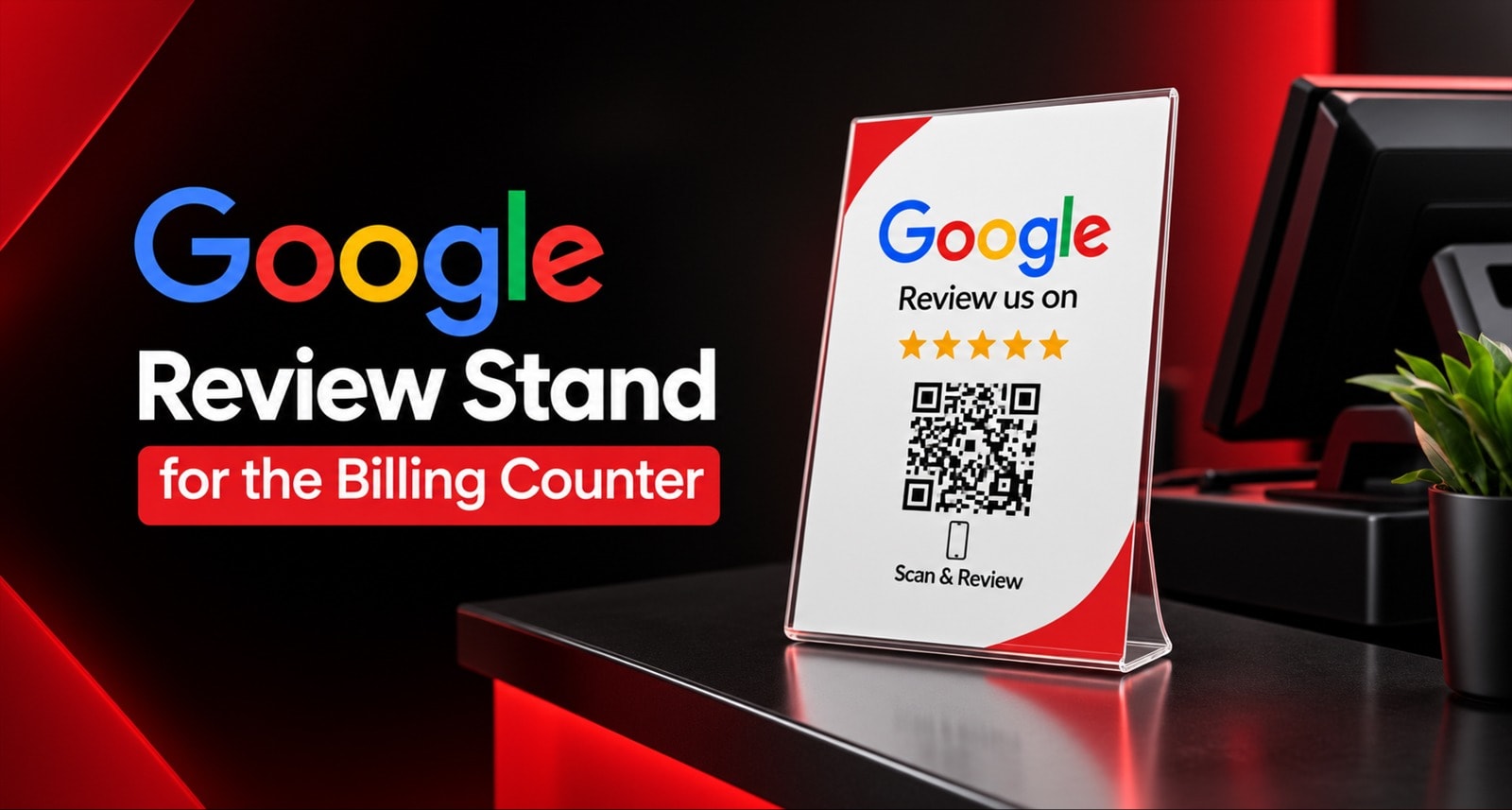
Your customer is happiest at the billing counter - the service is done, the experience is fresh. A Google Review Stand placed at that exact moment turns that happiness into a 5-star review with a simple tap or scan before they walk out.
The billing counter is your highest-converting review spot. Your stand must be visible, reachable, and timely.
What Converts Best: An Acrylic Stand placed at eye-level between the billing machine and customer waiting area. It works as a silent, self-service billboard that asks for reviews without your staff having to remember every time.
Why Placement Matters: 70% of billing counter reviews fail because the stand is hidden behind a laptop, too low, or placed after the customer has already paid and turned away. Perfect placement + a 7-second script fixes this.
Best Combo: 1 Acrylic Stand per 2 billing tables/counters + 2-3 Smart Cards for your staff to hand over personally when the stand is busy. This covers both self-service and hand-to-hand moments.
What's Common: The Same Powerful Tech Inside Every ReviewTAG Product
Before we talk about placement, you must know this:
For ReviewTAG, all hardware forms have identical inside technology. A Google Review Stand, Smart Card, Desk Puck, or Keychain - they all do the exact same thing. You are not paying for different tech. You are paying for a different shape for a different moment.
Every ReviewTAG product is Google Review Cards featuring advanced QR code and NFC technology and includes:
Dual Technology: NFC Chip + Printed Dynamic QR Code: Every product has BOTH. Customer can Tap the NFC chip or Scan the QR code. Works on all phones - iPhone and Android. No app needed.
Dynamic QR Code: The QR stores a short cloud link you control from your dashboard. If you change your Google review link, just update it in the dashboard. No reprinting. A static QR is hardcoded and breaks when your link changes.
Smart Routing Shield: Our rating fork. 4-5 star taps go to Google with an AI draft ready to post. 1-3 star taps go to a private feedback form and you get an instant manager WhatsApp alert. This is service recovery, NOT suppression. No blocking. Customer can still post on Google directly. Compliant and documented in our Privacy Policy and Terms & Conditions.
AI Review Assistant: Tappable options + AI draft removes writer's block. This is why completion rate is 60%+ vs 15% for a blank Google box.
Dashboard & Tracking: See scans, completions, rating distribution, and per-code and per-location analytics. Know which counter or staff gets most reviews.
Google Compliant: No auto-posting. Customer always edits and posts.
Pricing: Smart Card starts from ₹99. Full pricing details are on the ReviewTag Pricing page.
So the question is never "which has better tech?" The question is "which shape fits your billing counter moment best?"
What is a Billing Counter Stand?
When we say review stand for the billing counter, we mean two main ReviewTAG formats:
1. Acrylic Stand: This is your counter billboard. It's a highly visible, Table Tent style stand made of clean acrylic. It stands upright on its own. Customers see it while they are waiting to pay, while the bill is being printed, or while they are standing in the queue. It drives self-service reviews - customers scan on their own without you having to ask every time.
Best for: Restaurant, Cafe, Retail Store, Salon reception, Clinic billing desk, Workshop cashier.
2. Desk Puck: This is the premium weighted stand. It's made of metal/acrylic, feels solid, and doesn't move. It looks very premium and trustworthy. It sits flat on a premium desk.
Best for: Clinic, Hotel reception, Premium office, Jewellery store, High-ticket retail where you want a luxury feel.
Both have the same Dual Technology, Dynamic QR, and Smart Routing inside. The difference is only visibility and feel.
Why Most Billing Counters Fail to Get Reviews
You bought a QR code stand, but reviews are not coming. It's almost never the QR. It's the placement and the moment.
Here are the 3 common mistakes we see:
Mistake 1: The Hidden Stand
Your stand is behind the billing laptop, next to a cluttered display of candies, or lying flat on the counter. If the customer has to search for it, they never will. At the billing counter, customers are looking straight ahead at you or down at their phone. Your stand must be in that eye-line.
Mistake 2: The Late Ask
Your staff asks for a review after the payment is done and the customer has turned to leave. The moment is gone. The right moment is while the bill is being printed and the customer is idle for 30 seconds. That idle time is your golden window.
Mistake 3: The Awkward Ask
Staff feels shy to say "Please give us a 5-star review." So they say nothing. Or they just point and say "Scan here" with no context. Customers ignore it. You need a 7-second natural script that makes it easy for both sides.
A perfectly placed review stand fixes mistakes 1 and 2 automatically. And we will fix mistake 3 with a simple script below.
Google Review Stand vs Smart Card vs Desk Puck: Round-by-Round at the Billing Counter
Let's be honest. At the billing counter, the stand is the hero. But it's not the only tool you need.
Round | Feature | Acrylic Stand | Desk Puck | Smart Card |
1. Visibility at Counter | Will customer notice it without you asking? | Winner. Upright billboard at eye-level. Seen by 100% of customers in queue. | Good, but lower height. More subtle and premium. | Low. Stays in staff pocket/hand. Needs staff to show it. |
2. Self-Service Reviews | Will customers scan on their own? | Winner. Customers scan while waiting for bill. No staff effort. Gets 40-60% of total reviews passively. | Good. Customers notice it while sitting/standing at desk. | No. Requires hand-to-hand handover. |
3. Staff Effort Needed | How much work for your team? | Very Low. Place once, works all day. Staff just reminds. | Very Low. Same as stand. | High. Staff must remember to hand it to every customer. |
4. Professional Feel | What impression at billing? | Clean, modern, and inviting. Very clear CTA. | Winner. Most premium, weighted, and trustworthy. Ideal for clinics/hotels. | Smart and personal. Feels like a premium business card handover. |
5. Durability at Busy Counter | Will it survive rush hours? | Very Good. Lightweight acrylic, easy to move and clean. | Winner. Weighted metal. Won't fall or move in rush. | Good PVC, but can get misplaced at busy counter. |
6. Tracking | Can you track performance? | Yes. Per-stand, per-location tracking in dashboard. | Yes. Per-puck tracking. | Yes. Per-card tracking. |
Verdict for Billing Counter: If you have a busy walk-in business, the Acrylic Stand is your primary conversion tool. If you have a premium desk setting where customers sit across from you, the Desk Puck is more suitable. The Smart Card is your supporting tool for when the stand is ignored or for personal handovers.
Google Review Stand Placement: 5 Spots That Convert Best at the Billing Counter
This is our placement playbook from 1000+ stores. Don't just place it anywhere. Place it where the customer's idle time and eye-line meet.
Spot 1: Between the Billing Machine and the Customer - The Hot Zone
This is the #1 converting spot. Place the stand directly between the POS machine where you are billing and where the customer stands. While you are entering items or printing the bill, the customer is idle and looking right at that space. Put the stand there at eye-level. They will read "Tap or Scan to Review Us" on their own.
Why it works: It fills the 20-30 seconds of awkward waiting time with an action.
Spot 2: At the Queue Entry or Waiting Area
If you have a queue or waiting chairs near the billing desk, place a second stand where the queue starts. Customers waiting in line have nothing to do but look around. A well-lit stand with a clear "Love your experience? Tap to review" message gets scanned by people waiting.
Why it works: Captures reviews from customers who are not even at the billing desk yet.
Spot 3: Right Next to the Payment QR / UPI Stand
Customers already look at one QR to pay. Place your review stand right next to your payment QR code. After they pay, their phone is already in their hand. The next logical step is to tap or scan the review stand right next to it.
Pro Tip: Keep them separate but side-by-side. Don't mix payment and review on the same print. Keep payment QR on left, review stand on right with clear headings.
Spot 4: At the Exit Door or Handover Point
For restaurants and retail, the last touchpoint is the exit or the parcel handover counter. Place a small stand there at eye-height. When you hand over the bag or food parcel, you can say "Thanks for visiting, a quick tap here helps us a lot" and point to the exit stand.
Why it works: It's the last happy moment before they step out.
Spot 5: On Every Second Table - For Restaurants & Cafes
For restaurants, the billing counter is important, but the table is the billing counter too. Customers often ask for the bill at the table. Place an Acrylic Stand on every second table. They scan while waiting for the bill to arrive.
Our Recommended Ratio: 1 stand per 2 tables + 1 main stand at the main billing counter.
Placement Rules to Never Forget:
Height is everything: The QR/NFC area must be at the customer's chest to eye level when they are standing. Never flat on the table.
Light it up: Place the stand where your counter light falls on it. A dark corner kills scans.
Keep it clean: Wipe the stand daily. A dusty or fingerprinted stand looks untrustworthy.
Angle it towards the customer: Tilt it 10-15 degrees towards the queue, not straight up. It's easier to tap.
The 30-Second Script: What Your Staff Should Say at Billing
A stand converts on its own, but a natural sentence from your staff doubles the conversion. Don't make it salesy.
While the bill is printing (Not after payment):
Staff: "Thanks for coming! While your bill is getting ready, if you loved our service, a quick tap or scan here would mean a lot to us - it takes 10 seconds."
If customer says "Yes, sure":
Staff: "Just tap your phone here or scan the QR - it will guide you."
If customer is in a hurry:
Staff: "No problem at all, thank you so much!"
Why this script works:
It's timed perfectly - during the idle wait, not after.
It gives both options - "tap or scan" - so customer knows it works on their phone.
It's low pressure - "if you loved our service" respects their choice.
Train your billing staff to say this line for 7 seconds for every 3rd customer to start. Once it becomes habit, reviews will become daily.
Scorecard Table: Which Format Wins at the Counter?
Criteria | Acrylic Stand | Desk Puck | Smart Card | Keychain |
For Busy Billing Counter | ✅✅✅ Best | ✅✅ Good (Premium) | ⚠️ Needs Staff Effort | ❌ Not Ideal |
For Self-Service / Passive Reviews | ✅✅✅ Excellent | ✅✅ Good | ❌ No | ❌ No |
Staff Effort to Get Reviews | ✅ Low Effort | ✅ Low Effort | ⚠️ High Effort | ⚠️ High Effort |
Premium Look for Clinic/Hotel | ✅ Good | ✅✅✅ Best | ✅ Good | ❌ Too Casual |
Quick Setup & Visibility | ✅✅✅ Instant | ✅✅ Instant | ✅ Needs Training | ✅ Needs Training |
Best Price to Start | Check Pricing Page | Check Pricing Page | Starts from ₹99 | Check Pricing Page |
Decision Matrix: What Should YOU Buy for Your Counter?
Don't buy based on looks. Buy based on your customer flow.
Business Type | Recommended Tool(s) | Why This Combo Works |
Restaurant / Cafe / QSR | Acrylic Stand per 2 tables + 1 at Billing + Smart Cards for Captain | Tables capture idle-time reviews. Billing stand captures exit reviews. Cards cover home delivery. |
Retail Store / Supermarket / Mobile Shop | Acrylic Stand at Billing + Acrylic Stand at Queue Entry | High footfall needs high visibility. Two stands cover queue + billing hot zone. Track per-stand scans. |
Salon / Spa | Acrylic Stand at Reception + Smart Card at Each Chair | Stand gets reception walk-in reviews. Stylist hands Smart Card personally after service - very high conversion. |
Clinic / Dental / Diagnostic | Desk Puck at Reception + Acrylic Stand at Billing/Pharmacy | Puck looks most premium and trustworthy on a doctor's desk. Stand at pharmacy catches billing reviews. |
Workshop / Auto Service | Acrylic Stand at Cashier + Smart Cards for Advisors | Stand for walk-in billing customers. Card for advisors to hand over with car keys after service explanation. |
Hotel / Gym / Premium Office | Desk Puck at Front Desk + Smart Card for Managers | Weighted puck matches premium interior. Cards for managers to request reviews during personal interactions. |
ReviewTAG Expert Tip: The best converting setup is always a Hybrid Combo. A stand gets you passive reviews all day. A Smart Card gets you personal 5-star reviews when your staff builds a rapport. Together, you cover 100% of moments.
Checklist: What to Check Before You Buy Any Review Stand
Don't buy a cheap static print. Check these 7 things:
Is the QR Dynamic or Static? A static QR is hardcoded to one link. If your Google link changes, the stand is trash. ReviewTAG's Dynamic QR lets you update the link instantly from the dashboard without reprinting.
Does it have BOTH NFC + QR? Some stands have only QR. You need both. Young customers tap NFC, older customers scan QR. Dual Technology covers 100% of phones.
Is there Smart Routing Shield? Does it send 4-5 stars to Google with an AI draft and 1-3 stars to private feedback + manager WhatsApp alert? Or does it dump everyone to Google and risk a public 1-star? This is service recovery, not suppression. Customer can still post on Google directly.
Is there an AI Review Assistant? A blank Google box gets ~15% completion. An AI draft with tappable options gets 60%+ completion. Ask if they have it.
Can you Track Per-Stand Performance? Can your dashboard show scans vs completions per stand and per location? Without this, you can't know which counter or branch performs best.
Is it Google Compliant? Never buy a tool that promises "auto-posts reviews" or "guaranteed 5-star reviews." That's against Google policy. We never auto-post.
Can you Customize Design and Reorder? Can you add your logo, branch name, and reorder single stands for new counters later? Can you manage all stands from one dashboard?
If a seller says no to any of these, it's just a plastic stand, not a ReviewTAG system.
How ReviewTAG Setup Works: Day 1 to Day 5
We keep it simple for busy owners. No tech work needed from you.
Day 1: You Order & Share Details
Choose your combo from the collection. Share your Google review link, logo, and counter/location names. Our team makes your design proof.
Day 2: We Configure Your Dashboard & Smart Routing
We link your Dynamic QR + NFC to your Smart Routing Shield and AI Review Assistant. You get dashboard access to test your flow before we print.
Day 3: Printing & Quality Check
We print your Acrylic Stands/Desk Pucks/Smart Cards with your branding and test every single NFC chip and QR code for tap/scan success.
Day 4: Delivery to Your Doorstep
Shipped pan-India. You receive ready-to-use products. No setup, no wiring, no app.
Day 5: Place & Go Live
Place stands at the 5 spots shown above. Brief your billing staff with the 7-second script. Watch scans and completions appear live in your dashboard.
Migration Path: Already using a static QR stand or a printed Google QR poster? You don't need to throw it away day one. Just add a ReviewTAG Dynamic stand next to it. Update your Google link once in our dashboard and all future scans go to the right place. Retire old prints slowly.
Conclusion
A Google Review Stand at the billing counter works not because it's acrylic or metal, but because it's at the right place at the right time.
The billing moment is a happy, idle, phone-in-hand moment. If your review tool is not visible and reachable right there, you lose that happiness forever. All ReviewTAG products have the same powerful inside - Dual Technology, Dynamic QR, Smart Routing Shield, AI Assistant, and Tracking. So choose the shape that matches your counter's reality.
Also Read: Why Dynamic QR Codes Beat Static Ones for Google Reviews
For a busy counter that needs silent, self-service reviews, the Acrylic Stand is your best converter. For a premium desk that needs trust, the Desk Puck wins. The smartest owners don't choose one - they use a Hybrid Combo: Stand for passive reviews + Smart Card for personal handovers.
Place it right, say the right 7-second line, and let your happiest customers do the marketing for you.
Ready to make your billing counter your review counter?
Explore Collection & Buy NFC Tag Google Review Card - See Acrylic Stands, Desk Pucks, Smart Cards & Combo Offers
Talk to Our Team on WhatsApp for Free Demo
FAQs
1. Where should I place my review stand at the billing counter for best results?
Place your Acrylic Stand directly between the billing machine and where the customer stands, at eye-level. This captures the 20-30 seconds while the bill is printing. A second stand at the queue entry or next to your UPI payment QR also converts very well.
2. Will one stand be enough for my whole shop?
For a single small billing desk, one Acrylic Stand is enough. For a restaurant with tables, we recommend 1 stand per 2 tables plus 1 at the main billing counter. For retail with a long queue, use 1 at the queue entry and 1 at the billing hot zone. Your dashboard can track scans per stand.
3. What if my Google review link changes after I print the stand?
No problem with ReviewTAG. Our QR is Dynamic - it stores a short cloud link you manage from your dashboard. Just update the Google link there and the same printed stand will instantly open the new link. No reprinting needed unlike static QR stands.
4. Do you block negative reviews from going to Google?
Never. Our Smart Routing Shield is for service recovery, not suppression. If a customer taps 1-3 stars, we request private feedback and send you a manager WhatsApp alert so you can fix the issue quickly. But we never block them. The customer can still post on Google directly if they want. This is compliant and documented in our Privacy Policy and Terms & Conditions.
5. Which is better for a billing counter - Acrylic Stand or Desk Puck?
For a busy, high-footfall billing counter like a restaurant or retail shop, the Acrylic Stand is better because it's tall, highly visible, and works as a billboard. For a premium setting like a clinic, hotel front desk, or jewellery store where customers sit across a desk, the Desk Puck looks more premium and trustworthy.
6. How does the AI Review Assistant help get more reviews?
Most customers get writer's block when they see a blank Google review box - only about 15% complete it. Our AI Assistant shows tappable options about their experience and creates a personalized draft they can edit and post in one click. This guided flow helps us achieve 60%+ completion.
About the author

Chandu Venkata Satish
Founder & Director
Chandu Venkata Satish is an entrepreneur, digital strategist and technology-driven business consultant with over ten years of experience working across digital strategy, political consulting, branding and technology. As the Founder of Technical Avengers, he leads the development of practical digital solutions that help businesses strengthen their online presence and accelerate growth. Review TAG is one such product, developed to simplify customer feedback and review generation through AI, QR and NFC technology, helping businesses turn genuine customer experiences into digital trust.
LinkedIn