Why Google Reviews Decide Who Walks Into Your Business
Before understanding the card, understand the problem it solves.
When someone searches "best salon near me" or "biryani near me," Google shows a local map pack — the top three businesses with a map beside them. Those three listings absorb the overwhelming majority of clicks and calls. Everyone below is effectively invisible.
Google decides those three positions using three broad signals:
Signal | What it means | Can you control it? |
Relevance | How well your listing matches the search | Partly — via profile & categories |
Distance | How close you are to the searcher | No |
Prominence | How well-known and well-reviewed you are | Yes — heavily |
Prominence is where reviews live. Review count, review freshness, review ratings, and the words inside those reviews all feed into it. A business with 400 recent reviews mentioning "butter chicken" and "family dinner" will outrank a business with 40 reviews saying "good."
So the real question isn't "should I collect reviews?" It's "why aren't my happy customers actually leaving them?"
The Real Reason Customers Don't Leave Reviews
It isn't laziness. It's friction — and it's stacked in layers:
Finding your listing. The customer has to open Google, type your business name correctly, scroll past similar names, and find the right branch.
The blank box. Google presents an empty text field. To most people, an empty text box feels like homework.
Writer's block. "The food was nice." That's all most people can produce. So they close the tab.
Timing. By the time they remember, they're home, the moment has passed, and the emotion has cooled.
A Google review card removes all four layers. One tap collapses steps one and four. AI-assisted drafting collapses steps two and three.
Key insight: You don't have a review problem. You have a friction problem. Your happy customers already exist — they just never reach the finish line.
What Is a Google Review Card, Exactly?
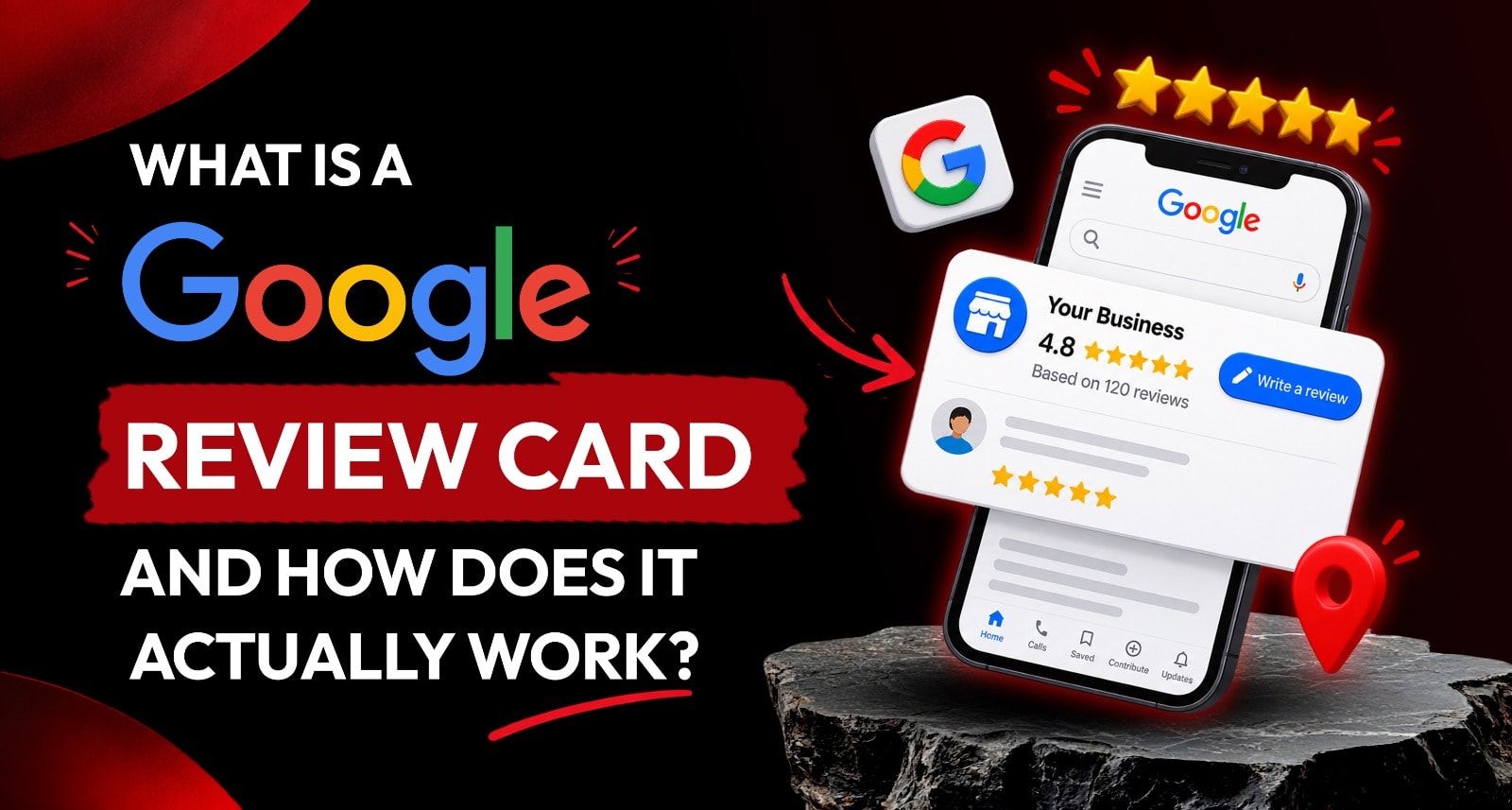
A Google review card is a physical, branded product placed at the point of customer interaction — billing counter, dining table, reception desk, or salon station — that connects a customer's phone directly to your Google Business Profile.
It typically carries two technologies at once:
A QR code — scannable with any phone camera, works on every smartphone made in the last decade.
An NFC chip — the customer simply taps their phone to the card, no camera needed, no app needed.
Behind that tap sits a configurable link. And this is the part most businesses miss: the link is not hardcoded to Google. On a modern platform like ReviewTag, the tap opens a lightweight web experience you control from a dashboard — which means the card is reprogrammable forever without reprinting anything.
Google review card vs. a printed QR sticker
Printed QR Sticker | Smart Google Review Card | |
Opens | Blank Google review box | Guided review experience |
Helps write the review | ❌ No | ✅ AI-assisted draft |
Filters negative feedback | ❌ Goes straight public | ✅ Routed privately |
If your Google link changes | ❌ Reprint everything | ✅ Remap from dashboard |
Tracks performance | ❌ No data | ✅ Full analytics |
Durability | Peels, fades, tears | PVC / acrylic / metal |
Works without camera | ❌ No | ✅ NFC tap |
How a Google Review Card Actually Works — Step by Step
Here is the complete flow, exactly as a customer experiences it. The whole sequence takes well under a minute.
Step 1 — Scan or Tap the Card
The customer holds their phone near the NFC card, or points their camera at the QR code. A link notification appears. They tap it. No app download. No signup. No account creation.
This matters more than it sounds. Every app install request kills conversion. Every login screen kills conversion. A web-based flow keeps the customer moving.
Step 2 — Rate the Experience
The customer taps a star rating. This single input is the fork in the road — and it's the most commercially important step in the entire flow. (More on this in the Smart Routing section below.)
Step 3 — Select What Stood Out
Instead of an empty text box, the customer sees simple, tappable options tailored to your business: Service · Staff · Food · Ambience · Cleanliness · Quality · Hospitality · Wait time.
A restaurant might show dish-level options. A dental clinic might show pain-free treatment, clear explanation, clean facility. A salon might show stylist skill, hygiene, on-time appointment.
These options are configured by you in your dashboard — which means you decide which keywords are likely to end up in your reviews.
Step 4 — AI Writes the Review
The platform takes those selections and generates a natural-sounding review draft in seconds. Good systems generate multiple variations in different tones — friendly, formal, casual — so no two reviews read identically.
The customer reads it. Edits it if they want. It's still their experience, in their words-of-choice — the AI just removed the blank-page paralysis.
Step 5 — Post to Google
One tap opens the business's Google Business Profile with the draft ready to paste. The customer confirms and posts. Done.
Step 6 — Smart Routing (the invisible step)
If the customer tapped a low rating in Step 2, the Google link is never shown. Instead, a private feedback form opens, and the complaint lands in your dashboard — often with an instant WhatsApp alert to the manager.
Smart Routing: The Feature That Actually Protects Your Rating
This is the difference between a review tool and a reputation tool.
Happy Customer (4–5★) | Unhappy Customer (1–2★) |
✅ Routed to Google Business Profile | 🛡️ Google link bypassed |
AI drafts review options | Private feedback form opens |
One-tap post | Manager notified immediately |
Result: Public rating rises | Result: You get a chance to fix it first |
An angry customer who posts publicly is permanent. An angry customer who reaches your manager in 30 seconds is often recoverable — and frequently becomes a loyal customer because someone actually listened.
⚠️ Important compliance note: Smart routing is about response speed and service recovery, not suppression. Nobody is stopped from leaving a public review — any customer can still go to Google independently, and they should. What the card does is give you the first opportunity to resolve the issue directly. Read how this is handled in the ReviewTag Privacy Policy and Terms & Conditions.
NFC vs QR Code — Which Actually Gets Used?
Both. And that's the point of having both on one card.
NFC Tap | QR Scan | |
Speed | Fastest — 1 second | Fast — 3–5 seconds |
Requires camera | No | Yes |
Works on all phones | Most modern phones | Virtually all |
Feels | Premium, "magic" | Familiar, universal |
Best for | Reception desks, service staff | Tables, standees, bills |
Older phones, phones with NFC disabled, and cost-conscious devices will always exist in your customer base. Cards that carry both technologies simply never fail — the customer uses whichever they're comfortable with.
What's Actually Inside a Smart Review Card
Three layers, working together:
1. The hardware layer
An NTAG-series NFC chip embedded in PVC, acrylic, or metal, plus a printed QR code. The chip stores a single short URL — nothing else. No personal data lives on the card itself.
2. The routing layer
That URL points to a cloud-hosted page, not directly to Google. This indirection is what makes the card reprogrammable. If you move locations, rebrand, add a branch, or your Google Place ID changes, you update the destination in your dashboard and every card you've ever distributed keeps working.
3. The intelligence layer
The questionnaire, keyword configuration, tone settings, AI drafting, rating fork, feedback capture, and analytics. This is the subscription layer — the software that turns a plastic card into a review engine.
Because the intelligence layer is cloud-based, the card you hand out today gets smarter over time without you replacing a single piece of hardware.
The Formats: Which Google Review Card Suits Your Business?
Different businesses have different "moments of truth" — the instant a customer is happiest. The format should sit exactly there.
Format | Best placement | Ideal for |
Smart Card | Handed with the bill or by staff | Restaurants, salons, cafés, retail |
Acrylic Stand | Billing counter, reception | Clinics, showrooms, pharmacies |
Review Tag | Clipped to staff uniform or bag | Delivery, field service, technicians |
Desk Puck | Consultation desk | Doctors, consultants, real estate |
Table Tent | Dining tables | Restaurants, cafés, bars |
Browse the full range and pricing on the ReviewTag homepage.
Placement rules that actually move the numbers:
✅ Place it where the customer is already waiting — billing, packing, payment processing.
✅ Place it where the experience just peaked — after the meal, after the haircut, after the consultation.
❌ Don't place it at the entrance. Nobody reviews a business they haven't experienced yet.
❌ Don't hide it behind the counter. If staff must hand it over, staff must remember — and staff forget.
What a Google Review Card Is Not
Let's be direct, because this is where businesses get themselves into trouble.
It is not a fake review generator. The AI drafts language based on inputs from a real customer who had a real experience. It does not invent customers, fabricate visits, or post on anyone's behalf.
It does not post automatically. The customer reads, edits, and submits the review themselves, from their own Google account. Consent is explicit at every step.
It does not access Google passwords. No review platform should ever ask for one. If a vendor requests Google account credentials, walk away.
It does not guarantee a rating. No tool can, and no honest vendor will promise one. What it guarantees is that the friction between a happy customer and a published review disappears.
It does not fix a bad business. If your service is genuinely poor, a review card will simply surface that reality faster — in your private dashboard, where you can actually act on it. Arguably that's still a win.
Google Review Card Price in India — What to Expect
Costs split into two parts:
Component | Typical range | What it covers |
Physical cards / stands | ₹99+ per card | Hardware, custom branding, printing, shipping |
Platform subscription | Annual plan | AI drafting, dashboard, analytics, QR management, feedback routing, support |
The hardware is a one-time cost. The subscription is what keeps the intelligence layer — AI, routing, analytics, remapping — running. Current pricing, including any active launch offer, is listed in the pricing section on the ReviewTag site.
Compare it against the alternative: a single additional walk-in customer per week, attributable to better map-pack visibility, typically covers the entire annual cost within the first month for most local businesses.
Checklist: What to Look For Before You Buy
Use this when evaluating any vendor.
Both NFC and QR on the same product — not one or the other
Reprogrammable link — you can change the destination without reprinting
Negative feedback routing — with instant alerts
Custom questionnaire — industry-specific, editable by you
Keyword control — you choose which terms the AI prioritises
Multiple tone options — so reviews don't read like clones
Multi-location QR codes — separate codes per branch, table, or campaign
Real analytics — scans, conversions, rating trends, downloadable reports
No app download required for the customer
No Google password requested — ever
Transparent data policy — published privacy policy and terms
Local support — WhatsApp or phone, in your timezone
Compare against these criteria and most cheap QR-sticker vendors fall away immediately.
Setting Up a Google Review Card: The Realistic Timeline
Stage | Time | What happens |
Account + Google link connection | ~5 minutes | Connect your Google Business Profile |
Questionnaire & keyword setup | ~15 minutes | Choose questions, keywords, tone, language |
Card design approval | Same day | Logo, colours, message |
Production & shipping | 24 hrs – few days | Pan-India delivery |
Placement & staff briefing | 10 minutes | Where it goes, who mentions it |
The step businesses skip — and shouldn't — is staff briefing. A card on a counter collects some reviews. A card plus one trained sentence from staff ("If you enjoyed it, just tap your phone here") collects several times more. The hardware removes friction; the human still creates the prompt.
You can start the setup process from the ReviewTag signup page.
Which Businesses Benefit Most?
Any business where a customer physically walks in and Google Maps drives discovery:
🍽️ Restaurants & cafés — table tents and bill-fold cards
🦷 Dental & medical clinics — reception desk stands
💇 Salons & spas — station cards, handed at payment
🏨 Hotels & resorts — check-out desk and room pucks
🔧 Auto workshops — service-delivery handover cards
🏋️ Gyms & fitness studios — front desk stands
🏬 Retail stores — billing counter placement
🏠 Real estate offices — consultation desk pucks
The common thread: high foot traffic, strong emotional peaks, and near-zero existing review capture.
FAQs
Does the customer need to download an app?
No. The entire experience runs in the phone's browser. Tap or scan, and it opens.
Does the customer need a Google account?
Yes — to publish on Google. But almost every Android user already has one signed in, and the flow simply hands off to the Google app or browser.
Are AI-assisted reviews allowed by Google?
Google's policies require reviews to reflect a genuine customer experience. A review card assists a real customer in articulating a real visit — it must never fabricate one. Full details in the FAQ and Terms & Conditions.
Can I change my Google link after printing the cards?
Yes, with a cloud-linked card. You update the destination in your dashboard and every existing card redirects to the new listing. This is the single biggest advantage over printed QR stickers.
Can I use different codes for different branches?
Yes — generate separate QR codes per location, table, or campaign, and track each one independently.
What happens to negative feedback?
It routes to your private dashboard with an alert, so you can respond before the customer's frustration turns into a public post.
Explore the ReviewTAG Collection with Dynamic QR Codes →
Create Your ReviewTAG Business Account — Sign Up Now →
Talk to Our Team on WhatsApp for a Free Setup Demo
Conclusion
A Google review card isn't a gimmick, and it isn't a shortcut around earning good reviews. It's a friction-removal device.
Your happy customers already exist. They already like you. They simply never make it from "that was great" to a published review on Google Maps — because the path between those two points is longer and more annoying than most people are willing to tolerate.
The card shortens that path to a single tap. The AI removes the blank page. The smart routing protects you from the small number of people who left unhappy. The dashboard tells you what's actually happening.
Do that consistently for ninety days and the compounding effect shows up where it matters — in the map pack, above your competitors, in front of customers who haven't heard of you yet.
Ready to put a Google review card on your counter? Explore the ReviewTag collection or talk to the setup team on WhatsApp for a free custom-design quote.
About the author

Chandu Venkata Satish
Founder & Director
Chandu Venkata Satish is an entrepreneur, digital strategist and technology-driven business consultant with over ten years of experience working across digital strategy, political consulting, branding and technology. As the Founder of Technical Avengers, he leads the development of practical digital solutions that help businesses strengthen their online presence and accelerate growth. Review TAG is one such product, developed to simplify customer feedback and review generation through AI, QR and NFC technology, helping businesses turn genuine customer experiences into digital trust.
LinkedIn