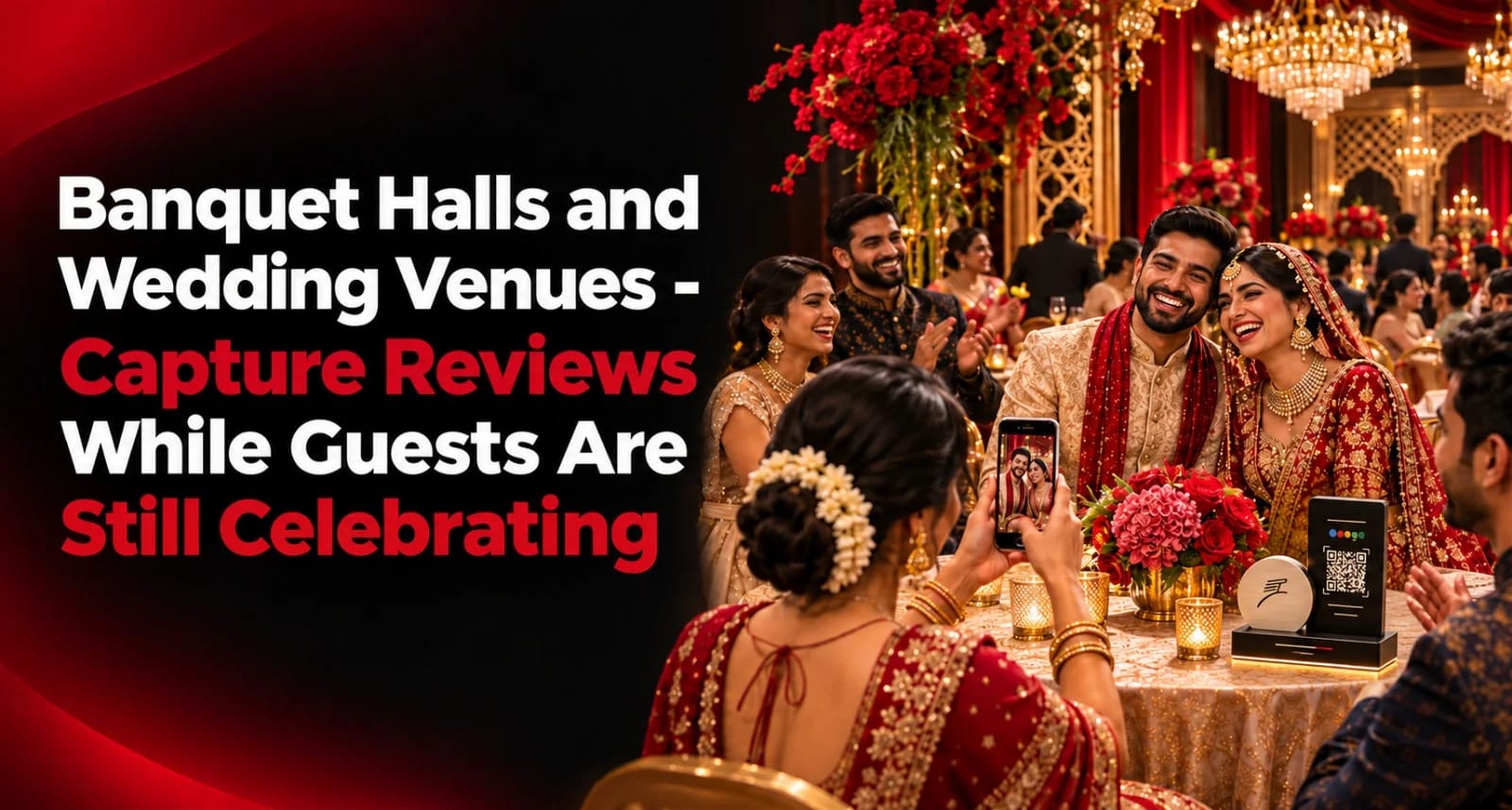
Think about what happens at your venue on a busy wedding night.
Five hundred, sometimes a thousand guests walk through your gates. They park, find the hall, sit through the muhurtham, queue at the buffet, eat, take photos, and drive home. Every one of them has formed an opinion about your venue — the parking, the air-conditioning, the food, the washrooms, the staff, the lighting.
And almost none of them will ever write it down.
Meanwhile, a couple getting engaged next month is sitting at home shortlisting venues on Google Maps. They're comparing star ratings and reading reviews about parking, food quality and how the management handled the big day. They'll call three venues. They'll visit two. They'll book one.
This is the gap every banquet hall faces: you host more people in a single evening than most businesses serve in a month, yet your review count often looks smaller than the bakery down the road.
This playbook covers how to close that gap — collecting genuine wedding venue Google reviews from the host family and from guests, at the right moments, without disturbing a single celebration.
Why Your Google Rating Decides Bookings
Booking a wedding venue is one of the most stressful decisions a family makes. There's a lot of money involved, the date can't move, and everything has to go right in front of hundreds of relatives.
So families do their homework.
What the family is worried about | What they look for in reviews |
Will the food be good for 800 people? | Comments on taste, quantity, buffet flow |
Will guests find parking? | Mentions of parking and valet |
Will the hall be comfortable? | AC, seating, cleanliness, washrooms |
Will the management cooperate? | Coordination, timing, flexibility |
Will there be hidden charges? | Comments on billing transparency |
Will things go to plan on the day? | Stories from other families' weddings |
A venue with 400 recent reviews averaging 4.6 feels like a safe choice. A venue with 30 reviews from three years ago feels like a gamble — even if the hall itself is better.
And unlike most businesses, venues get compared on very specific details. "Parking was a nightmare" in one review can quietly cost you several bookings.
Two Audiences, Two Strategies
Most venue owners only think about one reviewer: the family that booked. But every event actually gives you two very different groups.
Host family | Guests | |
How many | One family per event | Hundreds per event |
Relationship with you | Weeks or months | A few hours |
What they experienced | Booking, planning, coordination, billing, the whole day | Arrival, parking, hall, food, washrooms, departure |
Best time to ask | Days after the event | During or just after the meal |
Best channel | WhatsApp, personal message | Table cards, review stands, exit points |
Review value | Deep and detailed | High volume, fresh and frequent |
Both are genuine reviewers. A guest who attended a reception at your hall really did experience your parking, food and service. Their review about that experience is honest and useful to future families.
The key is to treat each group differently.
Strategy 1: Banquet Hall Reviews From the Host Family
The host family's review carries the most weight. They saw everything — from the first site visit to the final bill. Future couples trust these reviews most.
When to ask
Timing | Why |
❌ During the event | They're busy and emotional |
❌ The next morning | They're exhausted and managing relatives |
✅ At final settlement | A natural closing conversation |
✅ 3–7 days after | They've rested, seen photos, received compliments |
⚠️ After 3 weeks | Memories fade, life moves on |
Who to ask
Usually, the person who coordinated with you most — the bride's father, the groom's brother, or the cousin who handled the vendors. Ask them for their experience. Don't ask them to write on behalf of the whole family or post multiple reviews from different accounts.
What to send
Namaste [Name] garu, we hope the family has rested after the wedding! It was an honour to host such a beautiful celebration at [Venue Name]. If you have a moment, we'd be grateful if you shared your experience on Google — it helps other families planning their special day: [review link]
Send once. Personalise it. Don't send reminders.
For more on wedding-season timing across businesses, see How to Collect Reviews During Diwali and Wedding Season.
Strategy 2: Capturing Reviews From Guests While They're Still Celebrating
This is where most venues leave the biggest opportunity untouched.
Guests are at your venue for three to five hours. Much of that time is relaxed: waiting for the ceremony, sitting after dinner, chatting with relatives. They have their phones in hand. If the experience has been good, a quick review takes less than a minute.
The trick is placing a guest review QR where guests naturally pause — without making your venue look like an advertisement.
Where guests pause
Location | Guest mood | Review potential |
Dining tables | Relaxed, just eaten | ⭐⭐⭐⭐⭐ Highest |
Dessert/paan counter | Happy, lingering | ⭐⭐⭐⭐ |
Exit/valet area | Waiting for their car | ⭐⭐⭐⭐ |
Lounge or waiting area | Waiting for the ceremony | ⭐⭐⭐ |
Washroom corridor | Brief pause | ⭐⭐ (good for cleanliness feedback) |
Entrance | Just arrived | ⭐ (too early) |
The dining area is your best placement. Guests have just eaten — the food is usually the most memorable part of an Indian wedding — and they're sitting down with a few minutes to spare.
The valet and exit area is your second best. Guests waiting for their car have nothing to do for three or four minutes.
Formats that work
Table cards or desk pucks at dining tables — small, discreet, and they don't compete with the family's décor
An NFC Google review standee at the dessert counter and exit area
A standing sign at the valet waiting point, with clear text: "Enjoyed the venue? Tap or scan to share your experience."
Make sure every placement works with both a tap and a scan. Older relatives tend to scan; younger guests often tap.
The design rules for getting a sign noticed in a busy space are in NFC Tap and QR Sign Design Rules That Get Noticed at Front Desks.
The Etiquette Rule: Ask the Host Family First
This is the part that separates a professional venue from a pushy one.
The wedding belongs to the family, not to you. Before placing any review prompts in guest areas, check with the host family during planning.
Some families won't mind discreet table cards at all. Others may have a strict décor theme or simply prefer nothing that looks like advertising at their daughter's wedding. Respect that.
A simple approach:
Mention it during the final planning meeting: "We usually keep small feedback cards on the dining tables and at the exit. Are you comfortable with that?"
If they say yes, keep it discreet and match the décor colours where possible.
If they say no, use only the exit and valet area, which isn't part of the main celebration space.
Never place prompts on the stage, the mandap or the family's decorated areas.
What staff should never do during an event:
❌ Walk between tables asking guests for reviews
❌ Interrupt guests while they're eating or talking
❌ Ask guests during the ceremony
❌ Announce review requests over the microphone
A quiet card on the table does all the work. Your staff's job is to serve guests well — that's what earns the review.
What Venue Reviews Should Mention
You can't write reviews for anyone. But you can help guests remember the details that matter to future families.
If your review setup lets customers choose what they liked before writing, offer options like:
Food taste and variety
Buffet arrangement
Parking and valet
Hall size and seating
Air-conditioning and lighting
Cleanliness and washrooms
Staff service
Event coordination
Location and accessibility
A review that says "Great food, easy parking, very clean hall and the staff handled 700 guests without any confusion" tells a future couple far more than "Nice place."
AI review assistance can help guests turn those selections into a natural draft they can edit and post from their own Google account. More on how that works in AI-Powered Customer Review Solutions: What They Are and Why Indian Businesses Need One in 2027.
The Rules That Keep Your Venue's Profile Safe
Wedding venues work with many vendors and very large crowds. That creates some specific risks.
🚫 No incentives. Don't offer a discount on the hall rent, free decoration or anything else in return for reviews — not to the family and not to guests. Google's policies don't allow incentivised reviews, and they can be removed.
🚫 No lucky draws for reviewers. A "scan and win" contest at a wedding is still an incentive.
🚫 Don't ask vendors to review you. Caterers, decorators, photographers and DJs who work with you regularly have a business relationship with you. Their reviews would be a conflict of interest.
🚫 Don't ask staff to post reviews. Same reason.
✅ Let everyone review — not just happy guests. Place the review prompt where every guest can see it. Don't try to steer only satisfied people towards Google.
✅ One person, one review, about their own experience. Don't ask one person to post reviews from multiple family accounts.
Event Venue Reputation: Replying to Reviews
Every reply you write is read by future families comparing venues. They want to see that you care and that you handle problems calmly.
A privacy rule specific to venues
Don't mention family names, wedding dates or guest numbers in public replies unless the reviewer has already shared them. "Thank you for choosing us for the Reddy wedding on 14th December with 900 guests" reveals details the family may not want public.
Example replies
From the host family:
Thank you so much, [Name] garu! It was an honour to be part of your family's celebration. We're so glad everything went smoothly, and we wish the couple a lifetime of happiness.
From a guest:
Thank you for your kind words, [Name]! We're delighted you enjoyed the food and the celebration. We hope to welcome you again at another happy occasion.
Complaint about parking:
Hi [Name], we're sorry parking was difficult. Large events can test our space, and we're adding more valet staff and clearer signage for busy evenings. Thank you for telling us.
Complaint about food running out:
We're truly sorry, [Name]. Food running short is never acceptable at a celebration. We're reviewing our planning with our kitchen team so it doesn't happen again. Please call us at [number] if you'd like to discuss it further.
Complaint from the host family:
[Name] garu, we're very sorry that parts of the day didn't go as planned. Your family trusted us with an important occasion, and we'd like to speak with you personally. Please call me directly on [number].
Don't argue publicly, even if a guest blames you for something outside your control, such as a delay caused by the family's own schedule. Acknowledge, stay polite, and take it offline.
For more, see How to Respond to Negative Google Reviews Without Making It Worse and How to Reply to Google Reviews: 50 Copy-Paste Response Templates.
Google Business Profile for Banquet Halls
Reviews work best on a complete profile. For venues, check these:
Category: choose the most accurate one, such as Banquet hall, Wedding venue or Event venue. Add others only if they genuinely apply, like Convention centre or Function hall.
Photos: hall setups for different events, dining area, stage, parking, entrance, washrooms, lighting at night. Families want to see the space, not just décor close-ups.
Capacity and amenities: mention seating capacity, parking spaces, AC, generator backup, rooms for the bride and groom, and in-house or outside catering in your description and attributes.
Accurate pin: venues are often on highways or outskirts. Make sure the map pin is on your entrance gate.
Hours: list office or enquiry hours accurately so families know when they can visit.
The full setup process is in Google Business Profile Setup for Indian Businesses in 2027.
A Simple Venue Review Workflow
Stage | When | What to do |
Before the season | September–October | Test review link, order cards and stands, brief staff |
During planning | Final meeting | Ask the family if discreet guest cards are okay |
Event day — setup | Before guests arrive | Place cards at dining tables, stands at exit and dessert counter |
Event day — during | Throughout | Serve guests well; staff don't ask directly |
Event day — close | After guests leave | Collect cards, check for damage |
Settlement | Final payment | Thank the family and mention the review link |
Follow-up | 3–7 days after | One personal WhatsApp message to the coordinator |
Reply | Weekly | Respond to every review within 48 hours |
Review | Monthly | Check for repeated complaints and fix them |
Measuring What Works
Use separate review codes for different placements so you can see which ones work:
Code | Placement |
Venue – Dining tables | Table cards |
Venue – Exit / valet | Exit stand |
Venue – Dessert counter | Dessert stand |
Venue – Host family WhatsApp | Link sent after events |
After a month of weddings, you'll know whether guests review more at the tables or the exit, and how many host families respond to the follow-up message.
Also track complaints. If three reviews in a month mention parking, that's not bad luck — it's an operations problem worth fixing before the next big Saturday.
A Quick Example
Two function halls of similar size sit on the same highway near Vijayawada.
The first has 60 reviews, mostly older, a few unanswered complaints about parking, and no review prompts anywhere in the hall.
The second places discreet cards on dining tables at every event where the family agrees, keeps a stand at the valet waiting point, sends a polite WhatsApp message to each host family a few days after the wedding, and replies to every review.
Over one wedding season, the second hall gathers several hundred fresh reviews mentioning food, cleanliness and smooth coordination. When a newly engaged couple searches "function hall near Vijayawada", guess which one they call first.
The broader approach to building reviews steadily is covered in How to Get Google Reviews: The Complete Guide for Indian Businesses (2027 Edition). Families booking a venue often shop for jewellery in the same weeks — a parallel playbook for jewellers is in Jewellery Stores: How Google Reviews Drive High-Ticket Wedding Footfall.
Turn every wedding, reception and event into genuine feedback with ReviewTAG's NFC, Dynamic QR and AI Review Assistant solutions. Help hosts and guests share their experience with a simple tap or scan.
Explore the ReviewTAG Collection with Dynamic QR Codes →
Create Your ReviewTAG Business Account — Sign Up Now →
Talk to Our Team on WhatsApp for a Free Setup Demo
FAQs
Can wedding guests leave a review for the venue?
Yes. Guests genuinely experience your parking, hall, food and service. A review about their own experience is valid and useful to future families.
When should I ask the host family for a review?
At final settlement, or three to seven days after the event once the family has rested.
Should I place review cards at every wedding?
Only with the host family's permission. If they'd rather not, use only the exit or valet area.
Can my staff ask guests for reviews during the event?
No. Staff should focus on serving guests. Discreet table cards and an exit stand do the work without interrupting anyone.
Can I offer a discount to families who leave a review?
No. Offering anything in exchange for a review goes against Google's policies.
Can caterers or decorators review my venue?
Avoid it. Regular vendors have a business relationship with you, which makes their reviews a conflict of interest.
How do I reply to a complaint about parking or food?
Acknowledge it, explain briefly what you're improving, and offer a phone number to continue privately. Never argue in public.
More answers on the FAQ page.
About the author

Chandu Venkata Satish
Digital Marketing Consultant & Strategist
Chandu is a Digital Marketing Consultant and Strategist focused on brand growth, Digital positioning, and High-impact marketing solutions. He specializes in transforming ideas into scalable digital success through strategy, innovation, and performance-driven execution.
LinkedIn